
From Desk to Calm

Stress Less, Move More, Work Better – From Anywhere

Author: Tim

  • Remote Work Job Search Checklist

    Remote Work Job Search Checklist

    Your Step-by-Step Roadmap to Remote Work Success

    Landing your first remote job without experience can feel overwhelming. You need to build the right skills and avoid scams. Standing out among hundreds of applicants is crucial. It’s easy to get lost in the process. That’s why I’ve created this comprehensive checklist that breaks down everything you need to do into manageable, actionable steps. Whether you’re just starting your remote work journey, this checklist will help you stay organized. Or you’ve been searching for months without success, it will still be beneficial. It will track your progress. It will ensure you’re not missing any critical steps. Think of it as your personal roadmap from “I want to work remotely” to “I just got hired.” Print it out. Check off each item as you complete it. Watch as your remote work dream becomes a systematic, achievable goal.

    Remote Work Job Search Checklist

    Pre-Application Setup ✅

    Skills & Experience Assessment

    • [ ] Completed comprehensive skills inventory
    • [ ] Translated past experiences into remote work language
    • [ ] Identified 2-3 key skills to develop further
    • [ ] Documented specific examples of independent work
    • [ ] Created list of achievements with quantifiable results

    Professional Online Presence

    • [ ] Updated LinkedIn profile with remote work focus
    • [ ] Added professional headshot photo
    • [ ] Optimized LinkedIn summary for remote opportunities
    • [ ] Added relevant skills to LinkedIn profile
    • [ ] Requested skill endorsements from connections
    • [ ] Set up professional email address if needed
    • [ ] Created basic portfolio website or document

    Workspace & Technical Setup

    • [ ] Designated specific work area in home
    • [ ] Tested internet speed (minimum 25 Mbps)
    • [ ] Ensured good lighting for video calls
    • [ ] Organized and decluttered workspace
    • [ ] Tested video calling software (Zoom, Teams, Google Meet)
    • [ ] Set up professional video call background
    • [ ] Taken photos of workspace for portfolio/LinkedIn

    Learning & Skill Development

    • [ ] Enrolled in at least one relevant online course
    • [ ] Completed basic software training for target roles
    • [ ] Practiced typing speed (aim for 40+ WPM)
    • [ ] Learned industry-specific tools or platforms
    • [ ] Obtained free certifications (Google, HubSpot, etc.)
    • [ ] Created work samples or portfolio pieces

    Job Search Strategy ✅

    Target Role Research

    • [ ] Identified 3-5 entry-level remote roles that match skills
    • [ ] Researched average salaries for target positions
    • [ ] Understood typical requirements for each role type
    • [ ] Found growth paths from entry-level positions
    • [ ] Identified transferable skills for each target role

    Company Research

    • [ ] Created list of 20-30 target companies
    • [ ] Researched company cultures and values
    • [ ] Identified remote-first vs. remote-friendly companies
    • [ ] Found employee reviews on Glassdoor
    • [ ] Checked company social media presence
    • [ ] Noted recent company news or developments
    • [ ] Identified key hiring managers or recruiters

    Application Materials

    • [ ] Created remote-work optimized resume
    • [ ] Written 3 different cover letter templates
    • [ ] Developed elevator pitch for remote work transition
    • [ ] Created work samples or portfolio pieces
    • [ ] Prepared list of professional references
    • [ ] Set up application tracking spreadsheet

    Daily Application Process ✅

    Before Applying to Each Job

    • [ ] Read job description thoroughly
    • [ ] Researched the specific company
    • [ ] Verified job posting legitimacy (not a scam)
    • [ ] Customized resume for specific role
    • [ ] Tailored cover letter to company and position
    • [ ] Identified how your skills match their needs
    • [ ] Found contact information for follow-up

    Application Submission

    • [ ] Applied through official company channels
    • [ ] Followed all application instructions exactly
    • [ ] Included all requested documents
    • [ ] Used professional email subject line
    • [ ] Saved copy of application for records
    • [ ] Updated tracking spreadsheet
    • [ ] Set calendar reminder for follow-up

    Post-Application

    • [ ] Connected with company employees on LinkedIn
    • [ ] Engaged with company social media content
    • [ ] Set follow-up reminder for 1 week
    • [ ] Prepared for potential phone/video screening
    • [ ] Researched additional company information

    Interview Preparation ✅

    Technical Setup

    • [ ] Tested internet connection stability
    • [ ] Verified video and audio quality
    • [ ] Downloaded/updated required software
    • [ ] Set up professional background or virtual background
    • [ ] Prepared backup communication method
    • [ ] Ensured quiet, distraction-free environment
    • [ ] Charged all devices and had chargers ready

    Content Preparation

    • [ ] Researched interviewer(s) on LinkedIn
    • [ ] Reviewed company website and recent news
    • [ ] Prepared answers to common remote work questions
    • [ ] Developed specific examples using STAR method
    • [ ] Prepared thoughtful questions about the role
    • [ ] Practiced explaining remote work transition
    • [ ] Reviewed job description and requirements again

    Documentation Ready

    • [ ] Copy of resume and cover letter
    • [ ] Portfolio or work samples
    • [ ] List of references with contact information
    • [ ] Notepad and pen for taking notes
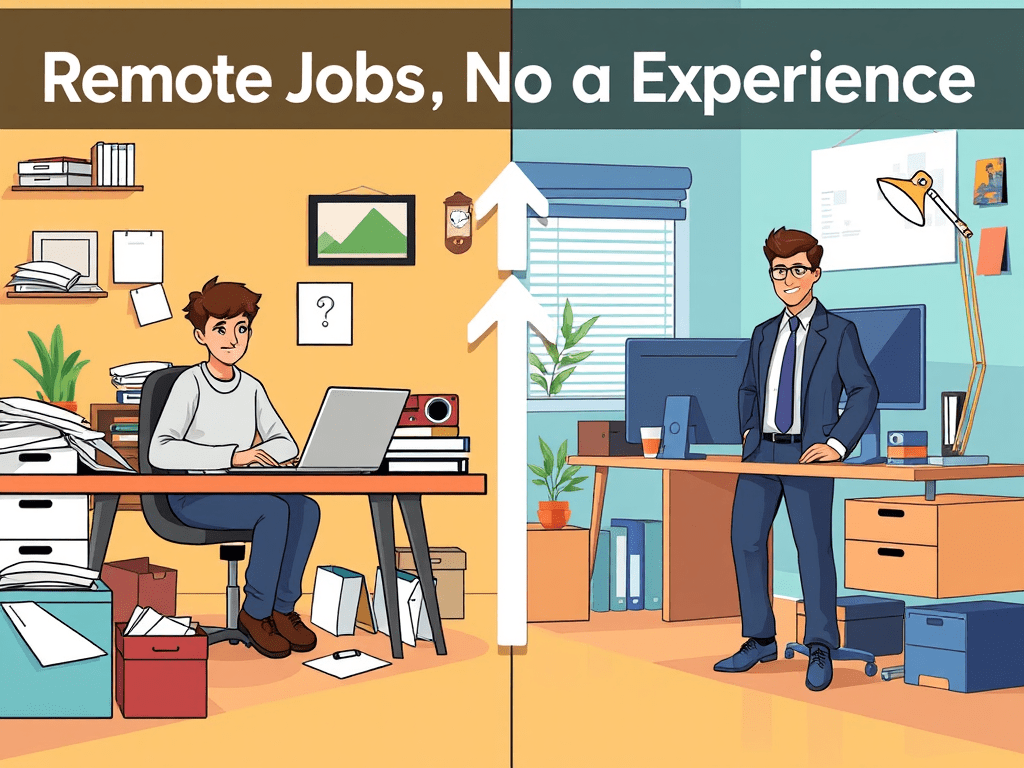
  • Remote Jobs No Experience

    Remote Jobs No Experience

    Hey there! 🌟

    Two years ago, I was scrolling through remote job boards at 2 AM, feeling completely defeated. Every posting seemed to want 3-5 years of experience, advanced certifications, or skills I’d never heard of. I had enthusiasm, a decent work ethic, and absolutely zero remote work experience to show for it.

    The worst part? I kept seeing the same advice everywhere: “Start freelancing to build your portfolio” or “Take on unpaid internships.” Easy to say when you need to pay rent next month, right?

    Then I met Marcus. He is a customer success manager. Marcus landed his first remote role just eight months after being laid off from retail management. No tech background. No fancy degree. No connections in his industry. Just a strategic approach to positioning himself as someone companies wanted to take a chance on.

    His story completely changed how I thought about breaking into remote work.

    The Truth About “No Experience” in Remote Work

    Here’s what Marcus taught me: When companies say they want “remote work experience,” they want candidates with varied remote backgrounds. They don’t want people who’ve only worked from home. They seek individuals who can work independently, communicate clearly, and deliver results without constant supervision.

    The problem isn’t that you lack experience. The issue is that you don’t know how to translate your existing skills into remote work language. Every job you’ve ever had has given you transferable skills. Every volunteer role has provided skills as well. Even managing your own life has contributed skills that remote employers desperately need.

    Companies hiring for entry-level remote positions care more about your potential and work style than your previous job titles. They just need proof that you can handle the unique challenges of working from home.

    4 Strategies to Position Yourself as Remote-Ready

    1. Audit Your Hidden Remote Skills

    You already have more remote-relevant experience than you think. Look for these transferable skills in your background:

    From any job:

    • Project management — Organizing events, coordinating schedules, meeting deadlines
    • Communication — Writing emails, presenting to groups, explaining complex topics
    • Problem-solving — Troubleshooting issues, finding creative solutions, working under pressure
    • Self-direction — Working independently, managing priorities, staying motivated

    From life experience:

    • Planning trips = project management and research skills
    • Managing household budgets = financial analysis and attention to detail
    • Coordinating family schedules = logistics and communication skills
    • Learning new hobbies = adaptability and self-directed learning

    Create a “skills inventory” document listing every capability you have, no matter how you gained it. This becomes your foundation for remote job applications.

    2. Build Proof of Remote Work Capabilities

    Since you can’t show remote work history, create evidence of remote work skills instead.

    Quick wins to demonstrate remote readiness:

    • Set up a professional workspace and take photos for your LinkedIn profile
    • Complete online courses relevant to your target roles (many are free)
    • Start a side project — blog, YouTube channel, small business, volunteer work
    • Document your self-directed learning through certificates, portfolios, or case studies
    • Practice video calls until you’re comfortable on camera

    Communication portfolio building:

    • Write LinkedIn posts about your learning journey
    • Create brief video introductions showcasing your communication skills
    • Offer to help local businesses with their social media or admin tasks
    • Join online communities in your field and contribute valuable comments

    3. Target Entry-Level Remote-Friendly Roles

    Some roles are naturally easier to break into remotely. Focus your search on positions that:

    High-demand, entry-level remote roles:

    • Customer service representative — Most companies offer training
    • Virtual assistant — Wide range of tasks, flexible skill requirements
    • Content moderator — Social media platforms constantly hiring
    • Data entry specialist — Detail-oriented work that’s easy to train
    • Online tutor or teacher — If you have expertise in any subject
    • Social media assistant — Great for digital natives
    • Sales development representative — Many companies train from scratch

    Industries actively hiring remote beginners:

    • SaaS and tech companies (customer success, support)
    • E-commerce businesses (operations, customer service)
    • Digital marketing agencies (assistant roles, content creation)
    • Online education platforms (support, community management)
    • Remote-first startups (various entry-level positions)

    4. Master the Remote Job Application Process

    Apply differently than you would for traditional jobs. Remote employers evaluate candidates through a different lens.

    Application strategy that works:

    • Customize every application — Show you understand their specific remote work challenges
    • Lead with your why — Explain your genuine interest in remote work beyond convenience
    • Address the experience gap directly — “While I’m new to remote work, I’ve demonstrated [specific skill] through [concrete example]”
    • Show initiative — Mention courses you’ve taken, tools you’ve learned, or preparations you’ve made

    Stand-out application elements:

    • Include a brief video introduction (30-60 seconds)
    • Create a simple portfolio website showcasing your skills
    • Write a thoughtful cover letter addressing their specific needs
    • Follow up professionally but not aggressively
    • Be prepared for skills-based assessments or trial projects

    Your 30-Day Remote Job Search Plan

    Week 1: Foundation Building

    • Complete your skills inventory
    • Set up your workspace and take professional photos
    • Update LinkedIn profile with remote work focus
    • Research 10 companies you’d love to work for

    Week 2: Skill Development

    • Enroll in 2-3 relevant online courses
    • Start a small project to showcase your abilities
    • Join industry-specific online communities
    • Practice video calls with friends or family

    Week 3: Application Preparation

    • Create your portfolio website or document
    • Write 3 different cover letter templates
    • Prepare for common remote work interview questions
    • Set up job alerts for entry-level remote positions

    Week 4: Active Job Searching

    • Apply to 10-15 positions per week
    • Follow up on applications from previous weeks
    • Network in online communities
    • Refine your approach based on responses

    Your Challenge This Week 🎯

    Choose one entry-level remote role that interests you and spend one hour researching:

    • What skills do job postings repeatedly mention?
    • What tools or software do they commonly use?
    • What challenges will someone in this role face?
    • How can you start building relevant experience now?

    Then take one concrete action toward building that experience. Sign up for a free course. Download the software to practice. Alternatively, reach out to someone doing that job for advice.

    What type of remote work are you most interested in pursuing? Are there specific skills you’re worried about not having, or companies you dream of working for?

    Hit me up in the comments and let me know. I love helping people navigate their path into remote work. Sometimes, an outside perspective can spot opportunities you might be missing.

    Here’s to proving that passion and preparation can open doors that experience alone will not.

    Talk soon, Tim

    P.S. Remember: every expert was once a beginner. The remote workers you admire today all started somewhere, and many of them started exactly where you are now. Your fresh perspective and eagerness to learn might be exactly what the right company is looking for. 🚀

    Get my Remote Work Job Search Checklist HERE

  • Dream Boards

    Dream Boards

    Hey there! ✨

    I used to roll my eyes at vision boards. They seemed like something you’d find between crystals and motivational quotes on Pinterest. They are pretty to look at. However, they are not practical for someone trying to build a real remote career.

    Then last January, I felt stuck in the same work-from-home rut. I’d been in this rut for months. I decided to give it a shot. What did I have to lose? I grabbed some old magazines, scissors, and a piece of poster board. I fully expected to create something cheesy. I thought it would end up in a closet within a week.

    Eight months later, I’ve redesigned my home office into a space that actually energizes me. I just booked three weeks in Italy for September. I will be working from cafes in Rome and taking client calls with the Tuscan countryside as my backdrop. That “someday” vision is finally going to happen! The dream board is still hanging above my desk, and honestly? It’s been one of the most practical tools I’ve ever used for my remote career..

    Turns out, there’s a big difference between wishful thinking and intentional visualization.

    Why Dream Boards Hit Different for Remote Workers

    Here’s what I discovered: Remote work is uniquely suited for dream board magic. It allows us to have complete control over our environment. We can also fully manage our schedule. Traditional office jobs constrain you with commutes, dress codes, and physical locations. In contrast, remote work lets you design your ideal life around your career.

    The challenge? With infinite possibilities comes decision paralysis. Without a clear vision of your desired remote work life, it’s easy to drift into a default routine. This routine can feel more like survival than thriving.

    A dream board for remote workers isn’t about manifesting a Ferrari (though if that’s your thing, go for it). It’s about getting crystal clear on the lifestyle, work environment, and professional goals that remote work can uniquely provide. Then, keep those visions front and center every single day.

    4 Essential Categories for Your Remote Work Dream Board

    1. Your Ideal Work Environment

    This section focuses on the physical and digital spaces where you do your best work.

    Include images of:

    • Dream home office setups — natural light, plants, inspiring artwork
    • Alternative workspaces — coffee shops, co-working spaces, outdoor settings
    • Technology and tools — that standing desk, good lighting, quality headphones
    • Organization systems — clean desks, beautiful storage, minimal setups

    The goal isn’t to create Pinterest envy. It’s to clarify what kind of environment makes you feel energized and focused, then work toward creating it.

    2. Lifestyle Integration Goals

    Remote work’s superpower is blending life and work in ways that serve you better.

    Visualize:

    • Flexible schedule benefits — morning workouts, school pickup, midday breaks
    • Travel and workations — that laptop-on-the-beach shot (if that’s actually appealing to you)
    • Family time — working from home while kids play, cooking lunch with your partner
    • Personal pursuits — the hobby you’ll have time for, the skills you want to develop

    This isn’t about work-life balance — it’s about work-life integration that feels authentic to you.

    3. Professional Growth and Income

    Get specific about where you want your remote career to go.

    Include:

    • Salary or revenue goals — actual numbers, not just “more money”
    • Skills you want to develop — certifications, courses, new technologies
    • Types of projects or clients — the work that excites you
    • Professional recognition — speaking at conferences, industry awards, thought leadership
    • Team and collaboration — the kind of colleagues you want to work with

    Remote work can sometimes feel isolating from career advancement. A dream board keeps your professional ambitions visible and actionable.

    4. Freedom and Flexibility Outcomes

    This is where you capture the “why” behind choosing remote work.

    Visualize:

    • Geographic freedom — living where you want, not where jobs are. For me that would be Italy. Great food, great people, great work life balance, the list goes on and on.
    • Time autonomy — controlling your schedule, peak productivity hours
    • Financial independence — emergency fund, investment goals, debt freedom
    • Reduced stress — no commute, comfortable clothes, pets nearby
    • Personal growth — the person you become when you’re not constrained by traditional work

    Creating Your Remote Work Dream Board

    Go Physical, Not Digital

    There’s something powerful about cutting, pasting, and touching your dream board. The physical process of creating it engages different parts of your brain than scrolling through Pinterest.

    Be Ruthlessly Specific

    Instead of generic “success” images, choose pictures that represent your exact definition of success. What does your ideal Tuesday look like? What time do you start work? What’s your workspace vibe?

    Include Process, Not Just Outcomes

    Add images that represent the habits and routines leading to your dream remote work life. This can include morning meditation, learning new skills, networking calls, and exercise breaks.

    Update Quarterly

    Your remote work dreams will evolve. Schedule quarterly dream board reviews to add new goals and celebrate achieved ones.

    Place It Where You’ll See It Daily

    This isn’t wall art. It’s a daily reminder system. Put it somewhere in your workspace where you’ll notice it regularly.

    Making Your Dream Board Actionable

    The Monthly Check-In

    Look at your dream board and ask:

    • What’s one small step I can take toward each category this month?
    • Which dreams feel closer than they did three months ago?
    • What obstacles am I facing, and how can I address them?

    Connect Dreams to Daily Actions

    For each major goal on your board, identify:

    • One daily habit that moves you closer
    • One weekly action you can take
    • One monthly milestone to aim for

    Celebrate Progress

    When you achieve something from your dream board, mark it with a gold star. You could also use a checkmark or move it to an “achieved” section. This positive reinforcement keeps the momentum going.

    Your Challenge This Week 🎯

    Create the foundation for your remote work dream board. You don’t need to finish the whole thing — just start:

    1. Gather materials: poster board, magazines, scissors, glue stick
    2. Spend 30 minutes cutting out images that represent your ideal remote work life
    3. Choose one category to focus on and create that section
    4. Put it somewhere you’ll see it tomorrow morning

    Don’t overthink it. The magic happens in the doing, not the planning.

    What does your dream remote work life actually look like? Not the Instagram version, but the real, specific, daily experience you want to create?

    Hit reply and tell me about one thing you’d definitely include on your dream board. I love hearing about people’s unique visions for their remote work life.

    Here’s to making the invisible visible and turning “someday” into “this year.”

    Talk soon, Tim

    P.S. If you create a dream board this week, tell me about it in the comments. There’s something incredibly inspiring about seeing other people’s visions come to life — plus, I’d love to cheer you on! 📸

  • Daily Routines of High-Performing Remote Workers

    Daily Routines of High-Performing Remote Workers

    Hey there! ⭐

    I used to think the most productive remote workers were the ones posting LinkedIn updates at 5 AM. They wrote about their “morning grind” and color-coded calendars. You know the type — up at dawn, green smoothie in hand, crushing goals before most people hit snooze.

    Then I actually started talking to people who consistently deliver exceptional work from home, and I was shocked. The highest performers I met weren’t necessarily early risers or productivity hackers. But they all had one thing in common: rock-solid daily routines that worked with their natural rhythms, not against them.

    Take CJ, a project manager who mentored me early in my remote work journey. I was struggling to fit into a traditional 9-to-5 schedule. I also felt guilty about my afternoon energy crashes. Meanwhile, CJ was quietly revolutionizing how I thought about productivity. He started work at 10 AM, took genuine lunch breaks, and wrapped up by 4 PM sharp. Yet his project delivery rate was unmatched, and his team consistently hit every deadline. His secret? He’d designed his remote work routines entirely around his peak energy windows instead of fighting against his natural rhythms.

    What High Performance Really Looks Like

    After studying dozens of top-performing remote workers, I made a surprising discovery. Success isn’t about having the “perfect” daily schedule when working from home. It’s about having consistent systems that create predictable outcomes.

    The most productive remote workers don’t wing it. They don’t rely on motivation or willpower. Instead, they’ve built productive habits remote workers can depend on, regardless of how they feel on any given day.

    These aren’t complicated systems or time-tracking apps. They’re simple, sustainable routines that create structure in an environment where structure doesn’t naturally exist.

    4 Essential Elements of High Performance Routines

    1. The Protected Morning Window

    Every high-performing remote worker I studied guards their first 1-2 hours fiercely. But here’s the twist: what they do during this time varies dramatically.

    Some common approaches:

    • The Early Bird: Up at 6 AM for exercise, journaling, and strategic planning
    • The Slow Ramp: Gentle morning routine with coffee, reading, and gradual work entry
    • The Power Start: Immediate dive into the day’s most important task
    • The Preparation Ritual: Review schedule, set intentions, organize workspace. This is my most important approach.

    The key isn’t the specific activity — it’s that this time belongs to them, not their inbox or urgent requests. High performers use this window to set their day’s tone rather than react to everyone else’s priorities.

    2. Strategic Deep Work Blocks

    Productive remote workers have figured out when their brain works best and ruthlessly protect those hours.

    How they structure focus time:

    • Time blocking: Dedicated 2-3 hour chunks for challenging work
    • Theme days: Mondays for strategy, Tuesdays for creation, etc.
    • Peak energy mapping: Scheduling hardest tasks during natural energy highs
    • Communication boundaries: Specific hours for emails/meetings vs. solo work. Simple and effective but somewhat elusive for some.

    They don’t try to do deep work all day. Instead, they identify their 3-4 peak hours and build their entire schedule around protecting them.

    3. Intentional Break Architecture

    This was the biggest surprise: high-performing remote workers are strategic about their breaks, not just their work time.

    Effective break patterns I observed:

    • Micro-breaks: 5-minute walks between tasks
    • Movement breaks: Stretching, yoga, or quick workouts every 2 hours
    • Nature breaks: Stepping outside, even briefly, during the day
    • Social breaks: Quick calls with colleagues or family members
    • Creative breaks: Playing an instrument, doodling, or other non-work activities

    They don’t see breaks as “time off” — they see them as fuel for sustained high performance.

    4. The Shutdown Ritual

    Every high performer has a clear end-of-workday routine that signals to their brain: “Work is done.”

    Common shutdown elements:

    • Task capture: Writing down tomorrow’s priorities. I personally look at the next days schedule to help with this.
    • Workspace clearing: Organizing desk and closing programs. In my case, I collect all my post it notes and doodles.
    • Transition activity: Exercise, cooking, or family time
    • Gratitude practice: Reflecting on the day’s wins. I record these for my weekly summary to my boss.
    • Physical boundary: Closing laptop, leaving office, changing clothes. Most days I head right to my garage to grab my lawn mower, of pull some weeds. Its all about clearing my head.

    This isn’t about stopping at a specific time (though many do). It’s about creating a clear psychological transition from work mode to personal mode.

    Building Your High Performance Routine

    Start With Your Energy, Not Your Schedule

    Before you design your routine, track your energy for one week:

    • When do you feel most alert and creative?
    • What time of day do you naturally start to fade?
    • When are you most easily distracted?
    • What activities give you energy vs. drain it?

    Use this data to design your ideal daily structure.

    Design Your Non-Negotiables

    High performers typically have 3-5 non-negotiable elements that happen every workday:

    • A specific morning routine (even if it’s just 10 minutes)
    • One protected deep work block
    • A real lunch break away from screens. I have it blocked off in my calendar yet people still send meeting requests 😱
    • Some form of movement
    • A clear work shutdown

    Start with just 2-3 elements and build from there.

    Create Flexibility Within Structure

    The best remote work routines have consistent frameworks but flexible details. For example:

    • Always exercise in the morning, but vary the activity
    • Always have a shutdown ritual, but adjust timing based on workload
    • Always protect deep work time, but shift the hours as needed

    Test and Adjust Weekly

    High performers treat their routines like experiments. They try something for a week, assess how it felt, and make adjustments. They’re not married to any particular approach — they’re married to the process of continuous improvement.

    Your Challenge This Week 🎯

    Pick one element from the high performance routines and commit to testing it for five days:

    • Design a 15-minute morning routine
    • Block out 2 hours for deep work daily
    • Take three intentional breaks each day
    • Create a simple shutdown ritual

    Don’t try to overhaul your entire day. Just experiment with one piece and notice how it affects your energy, focus, and overall satisfaction with your work.

    What does your current remote work routine look like? Are there patterns that serve you well, or areas where you feel like you’re constantly playing catch-up?

    Hit me up in the comments — I’m curious about what routines you’ve tried and what’s worked (or hasn’t worked) for you.

    Here’s to building systems that make success feel less like luck and more like inevitability.

    Talk soon, Tim

    P.S. Remember: the best routine is the one you’ll actually stick to. Don’t aim for perfection — aim for consistency. Small, sustainable changes compound into remarkable results over time. 🚀

  • Tech-Free Hobbies for Better Mental Wellness

    Tech-Free Hobbies for Better Mental Wellness

    Hey there! 🌱

    Last Saturday, I caught myself doing something surprising. My teenage self would have been horrified. I was genuinely excited about pulling weeds.

    There I was. Dirt under my fingernails. Sweat on my forehead. I was completely absorbed in clearing out the overgrown corner of my garden. I was listening to a podcast on my airpods. No notifications buzzing. No tabs open in my brain. Just me, the earth, and the satisfying pop of dandelions coming up by the roots.

    When I finally looked up, two hours had passed without me checking my phone once. I felt… lighter. Like I’d been holding my breath for months and could finally exhale.

    That’s when it hit me: I couldn’t remember the last time I’d felt that present.

    The Screen-Free Awakening

    Over the past few months, I’ve intentionally sought out tech-free hobbies. I’ve discovered our brains are starving for activities that don’t involve screens. We don’t even realize it.

    After years of remote work, endless scrolling, and digital everything, I started noticing some troubling patterns. My attention span was shot. I felt restless even during “relaxing” activities like watching Netflix. My hands felt twitchy whenever I wasn’t holding a device.

    Sound familiar?

    Reading, sports, and gardening consistently rank among the most popular hobbies globally, and there’s a reason for that. These offline activities give our minds something our digital lives simply can’t: genuine restoration.

    4 Categories of Tech-Free Hobbies That Actually Help

    1. Hands-On Creative Activities

    There’s something magical about creating something physical with your hands. Your brain shifts into a completely different gear.

    Popular options to try:

    • Knitting or crocheting — repetitive motions that calm anxiety. My daughter creates the most amazing creations just sitting watching tv.
    • Pottery or ceramics — working with clay is surprisingly meditative
    • Woodworking — building something tangible feels incredible. I have a small wood shop in my garage. My wife and I have built beds, garden boxes, and even a dining room table there.
    • Cooking or baking — engaging all your senses while creating something delicious
    • Jewelry making — perfect for detail-oriented minds

    The key is choosing something that requires just enough focus to quiet your inner chatter. It should not require so much focus that it becomes stressful.

    2. Movement-Based Hobbies

    Dancing can have significant brain benefits. Research shows this to be true. Social dancing is particularly effective for cognitive health. But you don’t need to become a professional dancer to reap the benefits.

    Try these:

    • Hiking or nature walking — movement plus fresh air is unbeatable
    • Dancing — whether it’s salsa lessons or just dancing in your living room
    • Gardening — surprisingly physical and incredibly grounding
    • Yoga or tai chi — movement that connects body and mind
    • Sports — tennis, basketball, or even just shooting hoops

    The goal isn’t to become an athlete. It’s to get your body moving in ways that feel good and break you out of the sedentary screen cycle.

    3. Mindful Learning Activities

    These hobbies engage your brain in focused, intentional ways that are the opposite of doom-scrolling.

    Consider:

    • Reading physical books — the tactile experience changes everything
    • Learning a musical instrument — piano, guitar, or even a ukulele
    • Puzzles — jigsaw puzzles, crosswords, or Sudoku
    • Board games — with friends or family for added connection
    • Journaling or creative writing — pen to paper, not fingers to keyboard

    These activities train your brain to focus deeply on one thing at a time — a skill that digital life actively erodes.

    4. Connection-Based Hobbies

    Some of the most restorative offline activities involve connecting with others face-to-face.

    Ideas to explore:

    • Volunteering — helping others while building community
    • Hosting dinner parties — cooking for friends combines creativity and connection
    • Joining clubs — book clubs, hiking groups, or hobby meetups
    • Family activities — travel, camping, or even regular game nights
    • Community sports — joining a local league or pickup games

    Offline hobbies are particularly crucial for remote workers. They help enforce work boundaries. These hobbies provide essential mental breaks from screen time.

    Getting Started: Your 3-Step Tech-Free Plan

    Step 1: Audit Your Current “Relaxation”

    Look at how you currently spend your downtime. If most of it involves screens, it’s time to experiment with something different.

    Step 2: Start Small and Simple

    Don’t try to become a master gardener overnight. Start with:

    • A single houseplant to care for
    • A 15-minute walk without your phone
    • One book you’ve been meaning to read
    • A simple recipe you want to try

    Step 3: Notice How You Feel

    Pay attention to your energy levels, sleep quality, and overall mood after engaging in offline activities. The benefits might surprise you.

    Your Challenge This Week 🎯

    Choose one tech free hobby from the list above and commit to trying it for just 30 minutes this week. Not every day — just once.

    Maybe it’s picking up that book that’s been sitting on your nightstand. Maybe it’s taking a walk around your neighborhood without your phone. Maybe it’s finally trying that recipe you bookmarked months ago.

    The goal isn’t to find your lifelong passion immediately. It gives your brain a break from the constant digital stimulation. You will remember what it feels like to be fully present.

    What offline activity have you been curious about but haven’t made time for? Hit the comments below and let me know. I love hearing about people’s rediscovered hobbies. I am also interested in the unexpected ways they’ve changed their daily routines.

    Here’s to dirty fingernails, sore muscles, and the kind of tiredness that comes from doing something real with your hands.

    Talk soon, Tim.

    P.S. If you’re feeling overwhelmed, remember that adding “one more thing” to your schedule isn’t necessary. Tech-free hobbies aren’t about productivity. They’re about restoration. Sometimes the most productive thing you can do is step away from trying to be productive. 🌿

  • Remote Work and Depression: What to Watch For

    Remote Work and Depression: What to Watch For

    Hey friend 💙

    Three months into remote work, I found myself wearing the same hoodie for four days straight. Not because I was busy or forgot to do laundry — I just couldn’t seem to care anymore.

    My morning routine had shrunk to rolling out of bed five minutes before my first meeting. I’d unmute myself, smile brightly, contribute to discussions, then mute again and stare blankly at my screen. My teammates thought I was thriving. Inside, I felt like I was disappearing.

    The weird part? I couldn’t pinpoint why. I had flexibility, no commute, and I could work in my pajamas. Wasn’t this supposed to be the dream?

    It took weeks to realize what was happening. Working from home had quietly rewired my brain. The changes occurred in ways I didn’t see coming.

    The Hidden Mental Health Challenge of Remote Work

    Here’s what nobody talks about when they celebrate remote work flexibility: isolation doesn’t announce itself with a loud crash. It creeps in quietly, one disconnected day at a time.

    I spoke with mental health professionals and other remote workers. I learned that depression working from home is more common than we think. Remote work is appealing due to autonomy, flexibility, and fewer interruptions. However, these aspects can also create perfect conditions for mental health struggles.

    The tricky part is that remote work depression doesn’t look like the depression we see in movies. It’s subtle, functional, and easy to dismiss as just “having an off week.”

    4 Warning Signs to Watch For

    1. Your World is Shrinking

    This was my first red flag, though I didn’t recognize it at the time.

    Watch for:

    • Going days without leaving your house
    • Declining social invitations more often
    • Feeling anxious about “normal” social interactions
    • Your conversations becoming limited to work topics only

    Your office is your bedroom. Your commute is 10 steps. It’s easy for your physical and social world to contract without you noticing. This isn’t just about being introverted — it’s about losing connection to the world outside your screen.

    2. The “Productivity Paradox”

    Remote work can create a confusing relationship with productivity that feeds depression.

    Signs to notice:

    • Working longer hours but feeling less accomplished
    • Difficulty celebrating wins or recognizing good work
    • Feeling guilty during any downtime
    • Measuring your worth entirely by output

    When your home becomes your office, the boundaries between “productive” and “resting” blur. You find yourself working more but feeling less satisfied, creating a cycle that’s exhausting and demoralizing.

    3. Physical Symptoms Disguised as “Remote Work Life”

    Depression working from home often shows up in your body first:

    • Chronic fatigue that sleep doesn’t fix
    • Changes in appetite or eating patterns
    • Headaches or neck pain beyond normal “screen time” issues
    • Difficulty concentrating, even on tasks you normally enjoy

    It’s easy to blame these on “too much screen time” or “bad ergonomics.” Sometimes that’s true. But when multiple physical symptoms appear together, your body may be signaling something deeper.

    4. Emotional Numbness Masquerading as “Professional”

    This one surprised me the most. I thought I was just becoming more “professional” and focused.

    Watch for:

    • Feeling emotionally flat during work hours
    • Difficulty feeling excited about projects you used to enjoy
    • Going through the motions in meetings without really engaging
    • Feeling disconnected from your colleagues, even during video calls

    When you’re depressed, maintaining that “professional” video call persona can drain your emotional reserves. It leaves little energy for genuine connection or enthusiasm.

    Creating Your Mental Health Safety Net

    Check In With Yourself Weekly

    Every Friday, ask yourself three questions:

    • When did I last have a meaningful conversation with someone outside of work?
    • What did I do this week that brought me genuine joy?
    • Am I taking care of my basic needs (sleep, nutrition, movement)?

    These aren’t productivity questions — they’re humanity questions.

    Build “Connection Anchors”

    Schedule regular touchpoints with people who know you beyond your work role:

    • Weekly coffee calls with friends
    • Regular check-ins with family
    • Joining virtual communities around your interests
    • Even brief interactions like chatting with a neighbor

    Connection isn’t networking — it’s about being seen and known as a whole person.

    Create Physical Boundaries

    Your environment shapes your mental state more than you realize:

    • Designate work-free zones in your home
    • Change clothes between work and personal time
    • Take real lunch breaks away from your workspace
    • Go outside daily, even if it’s just for five minutes

    Know When to Ask for Help

    If you’re experiencing several warning signs for more than two weeks, it’s time to reach out. This might mean:

    • Talking to a trusted friend or family member
    • Contacting a mental health professional
    • Reaching out to your company’s employee assistance program. My company has a free resource Employee Assistance Program which I have reached out to a few times for help
    • Joining a support group for remote workers
    • Talk to a spouse or family member

    Getting help isn’t a sign of weakness — it’s a sign of self-awareness

    Your Challenge This Week 🌱

    Pick one person in your life who makes you feel like yourself. Reach out to them this week — not for work, not for a favor, just to connect.

    Send a text. Schedule a call. Suggest a virtual coffee. The format doesn’t matter. What matters is creating a moment of genuine human connection outside of your work bubble.

    Depression working from home thrives in isolation. Connection is its kryptonite.

    How are you really doing? I mean actually doing, not just professionally. Hit reply and let me know — sometimes just naming what we’re experiencing out loud helps us process it.

    Take care of yourself, Tim

    P.S. If you’re struggling right now, please know that what you’re experiencing is valid and you’re not alone. Remote work depression is real, and it’s treatable. Consider this your reminder that asking for help is actually the strongest thing you can do. 💙

  • Preparing for a productive Work week? Check out these 5 tips to Thrive in remote work.

    Preparing for a productive Work week? Check out these 5 tips to Thrive in remote work.

    Hey there! 👋

    I had one of those Monday mornings last week. It’s the kind where you roll out of bed at 8:47 AM. Then, you stumble to your laptop in yesterday’s sweatpants. Suddenly, you realize you have three back-to-back Zoom calls starting in 13 minutes.

    My hair looked like I’d been electrocuted. My “home office” had papers lying all around and I couldn’t find my good headphones anywhere. By 10 AM, I felt like I was already behind for the entire week.

    Sound familiar?

    What I Learned About Remote Work Rhythms

    That chaotic Monday got me thinking about something I’ve been wrestling with for months: some weeks feel effortless and productive. Other weeks feel like I’m constantly playing catch-up.

    I tracked my habits for a few weeks. I talked to other remote workers. I realized the difference isn’t about motivation or willpower. It’s about having systems that work with the unique challenges of working from home, not against them.

    The most successful remote workers I know don’t wing it. They’ve cracked the code on preparation.

    5 Game-Changing Tips for Remote Work Success

    1. Sunday Reset: Your Week’s Foundation

    This isn’t about meal prep or color-coding your calendar (though if that’s your thing, go for it!). It’s about creating a 15-minute ritual that bridges your weekend brain and your work brain.

    Every Sunday evening, I:

    • Clear my workspace completely
    • Review my calendar for the week ahead
    • Pick out clothes for Monday (yes, even if it’s just a nice shirt for video calls)
    • Set up my coffee station so it’s ready to go

    This tiny investment saves me from those frantic Monday mornings and helps me start strong.

    2. Create Non-Negotiable Boundaries

    Working from home means your office never really “closes.” The laptop is always there, whispering your name at 9 PM.

    The remote workers who thrive have learned to build walls where none exist:

    • Set a hard stop time and stick to it (mine is 5 PM)
    • Use a separate browser or user account for work
    • Physically close your laptop or turn off your screen when you’re done. On the weekends I shut them off to save electricity.
    • Create a “commute” ritual — even if it’s just a 5-minute walk around the block

    Your future self will thank you for protecting your downtime.

    3. Design Your Environment for Success

    Your workspace isn’t just about having a good chair (though that matters too). It’s about creating an environment that signals to your brain: “This is where focused work happens.”

    Small changes that make a big difference:

    • Position your desk near natural light if possible
    • Keep a water bottle within arm’s reach
    • Use noise-canceling headphones or white noise to create audio boundaries
    • Have a dedicated “work phone” spot so you’re not constantly tempted by notifications (this is the hardest one for me!!).

    Remember: you’re not just working from home, you’re creating a professional environment that happens to be at home.

    4. Master the Art of Micro-Breaks

    This one surprised me. I used to think productivity meant grinding through tasks without stopping. But remote work requires a different approach.

    The most effective remote workers take intentional micro-breaks:

    • Stand up and stretch between meetings
    • Step outside for 2 minutes of fresh air
    • Do a quick breathing exercise
    • Look at something 20 feet away to rest your eyes (also, every 20 minutes, focus your eyes on something 20 feet away for 20 seconds)

    These aren’t “productivity hacks” — they’re maintenance for your brain and body.

    5. Build Connection Into Your Week

    Remote work’s biggest hidden challenge isn’t distractions or time management. It’s isolation.

    Even if you’re naturally introverted, humans need connection to thrive. Schedule it like you would any important meeting:

    • Block time for coffee chats with colleagues
    • Join or create a virtual coworking session
    • Take walking meetings when possible
    • Send a quick “how are you doing?” message to a teammate. I do this a lot. (I work for a large organization. I like to keep tabs on people I have grown close to over the years).

    Connection isn’t a luxury in remote work — it’s fuel.

    Your Challenge This Week 🎯

    Pick just one of these tips and commit to trying it for the next five days. Not all five tips — just one.

    Maybe it’s setting up your Sunday reset ritual. Maybe it’s creating that hard stop boundary. Maybe it’s finally getting those noise-canceling headphones you’ve been thinking about.

    Start small, but start somewhere.

    I’m curious: which tip resonates most with you? Or do you have a remote work game-changer that I didn’t mention?

    Hit me up in the comments down below. Let me know your thoughts. I read every response and love hearing what’s working for you. I’m also interested in what’s not working for you.

    Here’s to a week where you feel ahead of the game instead of behind it.

    Talk soon, Tim

    P.S. If you found this helpful, feel free to send it to anyone who will gain from it. We’re all figuring this remote work thing out together. 💪

  • Freelance vs Remote Employment: Which One’s Right for You?

    Freelance vs Remote Employment: Which One’s Right for You?

    Freelance vs Remote Employment: Which One’s Right for You?

    Hey there! 👋

    Six months ago, I was sitting at my kitchen table, staring at two job offers. One was a traditional remote position with a consulting company—good salary, benefits, the whole package. The other was a freelance opportunity that would double my hourly rate but came with zero guarantees and zero benefits.

    I spent two weeks agonizing over the decision, calling every mentor I knew, and making endless pros and cons lists. The choice felt impossible because both paths seemed equally appealing and terrifying.

    If you’re reading this, you’re probably in a similar spot. Maybe you’re tired of the corporate world and dreaming of freelance freedom. Or perhaps you’re a freelancer who’s curious about the stability of remote employment.

    Here’s what I wish someone had told me back then.

    The Real Difference Between Freelance and Remote Work 🤔

    Here’s the thing most people don’t realize: Both freelancing and remote employment involve working from home. However, they are completely different lifestyles.

    Remote employment is like having a traditional job, just without the commute. You have a boss, regular hours, team meetings, and a predictable paycheck. In 2024, 52% of Gen Z professionals took on freelance work. This shows that younger workers are increasingly choosing alternative work arrangements.

    Freelancing is running your own business. You’re the CEO, the sales team, the accountant, and the service provider all rolled into one. The percentage of independent workers serving other businesses rose to 11.2 million in 2024, a 14% increase from previous years, indicating strong demand for freelance services.

    Neither path is inherently better—they’re just different solutions to different problems.

    Four Key Factors to Consider

    After talking to dozens of people who’ve made this choice (and living both sides myself), here are the factors that matter most:

    1. Financial Stability vs. Income Potential

    Remote employment offers predictable income, benefits, and paid time off. You know exactly how much you’ll earn each month. You don’t have to worry about finding your next client. In most cases, you don’t have to worry about your workload either.

    Freelancing can be more lucrative—many freelancers earn 2-3x what they made as employees. But income is unpredictable. You might have a $15K month followed by a $3K month.

    Best for freelancing: You have 6-12 months of expenses saved and can handle income fluctuations.

    2. Control vs. Structure

    As a remote employee, your days are largely structured for you. You have meetings, deadlines, and clear expectations. This can be comforting if you thrive with external accountability. Personally, I love having security.

    Freelancing gives you complete control over your schedule, clients, and projects. But that freedom comes with the responsibility of self-management and business development.

    Best for freelancing: You’re self-motivated and comfortable with ambiguity.

    3. Skill Development vs. Specialization

    Remote jobs often expose you to different projects and learning opportunities within a company. You might develop leadership skills, learn new technologies, or gain industry expertise.

    Freelancing forces you to become highly specialized in your core skills while also learning business skills (sales, marketing, client management).

    Best for freelancing: You have a marketable skill and enjoy wearing multiple hats.

    4. Work-Life Balance Reality Check

    Remote employment typically offers clearer boundaries. When you log off, you’re done. Many companies are also improving work-life balance policies.

    Freelancing can blur boundaries more. You’re always “on” for business development, and the pressure to take every opportunity can lead to overwork.

    Best for freelancing: You’re comfortable setting your own boundaries and saying no to work.

    Your Challenge This Week 🚀

    Before making any major decisions, try this exercise:

    Write down your answers to these three questions:

    1. What does your ideal workday look like, hour by hour?
    2. How much financial risk can you realistically handle?
    3. What energizes you more: diving deep into one company’s problems or solving diverse challenges for multiple clients?

    Your answers will reveal which path aligns better with your personality and life situation.

    I’m curious—what’s drawing you toward freelancing or remote employment? What’s your biggest fear about making the switch?

    Hit reply and share your thoughts. I love hearing about people’s career decisions. Sometimes, talking through it with someone who’s been there can help clarify your thinking.

    Whatever you choose, you’ve got this, Tim.

    P.S. That decision I mentioned? I ultimately decided to stay put for now. The freelance opportunity was tempting, but I realized I needed more financial stability at this point in my life. But I know plenty of people who tried freelancing and loved it. I also know others who returned to remote employment because it wasn’t the right fit. Both choices can lead to amazing careers—it’s just about finding what works for your brain and your life.


  • Setting Better Goals as a Remote Worker: A Simple 3-Step System

    Setting Better Goals as a Remote Worker: A Simple 3-Step System

    Hey there! 👋

    I spent my first year of remote work feeling constantly busy. However, I never really accomplished anything meaningful. My to-do list was endless, but at the end of each week, I couldn’t point to any significant progress.

    Sound familiar?

    It wasn’t until I had a brutal performance review that I realized the problem: I was confusing motion with progress. I was checking off tasks but not moving toward any clear objectives. Without the natural structure of an office environment, I’d lost sight of what actually mattered.

    That’s when I discovered that remote work doesn’t just require different communication skills. It requires a completely different approach to goal setting.

    Why Traditional Goal Setting Fails Remote Workers 🎯

    Here’s what I learned the hard way: The goal-setting approaches that work in traditional offices often fall flat. They do not work effectively when you’re working from home.

    In an office, you get constant feedback from colleagues, impromptu check-ins with your manager, and visual cues about priorities. When I worked in a 911 call center it was collaborative. At home, you’re flying solo most of the time. Remote professionals thrive on clear and achievable goals to maintain focus, motivation, and productivity in their unique careers.

    Without this external structure, vague goals like “improve performance” or “be more productive” become meaningless. You need goals that can guide your decisions when no one’s watching.

    The 3-Step Remote Goal-Setting System

    After studying what actually works for remote workers and testing it with my own career, I developed this simple system that’s transformed how I approach my work:

    Step 1: The Focus Filter

    Start by identifying your top 3 priorities for the quarter. Not 5, not 10—just 3. These should be outcomes that would make a real difference in your role or career.

    Ask yourself: “If I could only accomplish 3 things in the next 90 days, what would move the needle most?”

    Write these down and keep them visible. I put mine on a sticky note next to my monitor.

    Step 2: The SMART Translation

    I just learned about SMART goals. Take each priority and transform it into a SMART goal (Specific, Measurable, Achievable, Relevant, Time-bound). SMART goals are Specific, Measurable, Achievable, Relevant, and Time-Bound. To save time, I created a template and keep it in my personal SharePoint files. My boss loved my SMART goals so much, she asked me to share it with my colleagues.

    Try to change “improve client relationships” to a more specific goal. Aim to “increase client retention rate from 85% to 90% by the end of Q2.” Accomplish this through monthly check-in calls with each client.

    The key is making your goals so specific that you’ll know exactly when you’ve achieved them.

    Step 3: The Weekly Reality Check

    Every Friday, spend 15 minutes reviewing your progress. Ask yourself:

    • What did I accomplish this week that moved me closer to my goals?
    • What obstacles did I encounter?
    • What needs to change next week?

    This isn’t about perfection—it’s about staying connected to your priorities when the daily chaos tries to pull you off course. I started emailing my boss with my wins to keep myself on their radar.

    Your Challenge This Week 🚀

    Right now, before you do anything else, write down your top 3 priorities for the next 90 days. Don’t overthink it—just brain dump what feels most important.

    Then pick one priority and turn it into a SMART goal using the framework above. Just one. You can come back to the others later.

    The goal isn’t to revolutionize your entire approach to work this week. It’s to create one clear target that can guide your decisions when you’re feeling scattered.

    What’s one area where you’ve been spinning your wheels lately? What would real progress look like there?

    Hit reply and share your biggest challenge with staying focused while working remotely. I love hearing about what people are working on, and sometimes an outside perspective can help clarify what matters most.

    If you like this post, check out: How to run an effective remote 1 on 1 meeting

    You’ve got this, Tim.

    P.S. That brutal performance review I mentioned? It was actually a gift. My manager pointed out that I was great at executing tasks but terrible at strategic thinking. Now I use this 3-step system. It ensures I’m always working on the right things. I focus on not just the urgent things. The difference has been night and day.

  • Setting Boundaries With Clients or Coworkers When You Work Remotely

    Setting Boundaries With Clients or Coworkers When You Work Remotely

    Hey friend! 👋

    A client pinged me on Slack at 9:47 PM last Tuesday. They asked to “quickly hop on a call” about their project. My laptop was off, I was winding down with my Kindle, and bedtime was calling. But guess what? I almost opened that laptop and said, “Sure, give me five minutes.”

    Sound familiar? If you’re nodding, you’ve probably felt the pressure of remote work’s “always on” culture. When your office is your home, setting boundaries feels like a Herculean task. Let’s explore the reasons behind this issue. We’ll also discuss how to resolve it with proven strategies to protect your time. These strategies will also safeguard your mental health in 2025.

    Why Remote Work Boundaries Are Hard to Set

    Remote work blurs the line between personal and professional life. People assume you’re always available—after all, you’re just at home, right? This hits hardest for:

    • People Pleasers: Saying “no” feels like letting someone down. We’d rather sacrifice our evenings than seem unhelpful.
    • New Hires: You’re eager to prove yourself, and setting boundaries feels like risking your reputation.
    • High Performers: Your competence makes you a magnet for “urgent” requests, piling on the pressure.

    Here’s the reality: Weak boundaries don’t make you a better worker—they lead to burnout and resentment. In 2025, remote work tools like Slack and Zoom will be more integrated than ever. Therefore, setting boundaries is critical to staying productive. It is also crucial for staying sane.

    5 Proven Strategies for Setting Remote Work Boundaries

    IAfter coaching dozens of remote workers and refining my own approach, here are five actionable strategies to set boundaries without guilt:

    1. The “Response Time” Framework

    Define when and how you’ll respond to communications. I tell clients: “I check email twice daily at 9 AM and 3 PM EST. I respond within 24 hours.” For urgent matters, text me—but urgent means truly urgent, like a project deadline at risk.

    Stick to this consistently. It’s scary at first, but clients and coworkers adapt when you set clear expectations. Data from a 2025 Remote.co survey shows 78% of remote workers feel more respected when they communicate response times upfront.

    2. The “Helpful Redirect” Method

    Instead of a flat “no,” offer an alternative. For example: You could say, “I can’t join a call tonight, but I’m available at 10 AM tomorrow.” Another option is, “Weekend work isn’t possible, but I’ll prioritize this Monday.” This shows you’re collaborative while protecting your time. A 2025 FlexJobs report found that 65% of remote workers using redirects felt less stress without compromising client satisfaction.

    3. The “Proactive Communication” Approach

    Get ahead of boundary violations. Add a note to your email footer or Slack status: “I work Monday–Friday, 9 AM–5 PM EST. I don’t check messages after hours or on weekends. Please don’t feel pressured to reply outside your own work hours.” This sets expectations early, reducing awkward follow-ups. Tools like Gmail’s signature settings or Slack’s status updates make this easy to automate.

    4. The “Boundary Buddy” System

    Partner with a colleague who’s also working on boundaries. Check in weekly to discuss moments where you struggled to say no. This accountability helps you stay firm and realize most “urgent” requests can wait. A 2025 study from the Remote Work Institute found that peer support increased boundary adherence by 40%.

    5. Leverage Technology for Boundaries

    Use 2025’s latest tools to enforce your limits:

    Calendar Blocks: Reserve “focus time” or “personal time” slots on your shared calendar to prevent meeting overload.

    Schedule Send: Tools like Gmail or Outlook let you draft emails during off-hours but send them during work hours.

    Do Not Disturb: Set Slack or Teams to “away” after 5 PM to signal unavailability.

    Your 2025 Boundary Challenge 💪

    This week, pick one boundary to enforce. Try turning off Slack notifications after 7 PM or delaying non-urgent email replies until the next workday. Start small to build confidence. The goal isn’t to be unavailable—it’s to be intentional about your availability.

    • For People Pleasers: Saying “yes” to everyone makes you unreliable to yourself. Those who matter will respect your limits.
    • For New Hires: Healthy boundaries won’t get you fired—they’ll show you’re organized and value your work-life balance.
    • For High Performers: Protect your energy to maintain your edge. You can’t pour from an empty cup.

    What’s one boundary you’ve been hesitant to set? Drop a comment below

    Take Control of Your Remote Work Life

    That 9:47 PM call I mentioned? It was about a minor design tweak that took 15 minutes the next morning. Now, I have a firm rule: No calls after 8 PM unless it’s a genuine emergency. (Spoiler: After working as a 911 call taker, I can confirm font choices aren’t emergencies.)

    Ready to reclaim your time? Share your boundary struggles in the comments or hit the like button. Let’s make 2025 the year you work smarter, not harder.

    If you liked this post check out: A simple 3 step system for setting better goals

    You’ve got this, Tim.